TypeScript 5.7 实战:5 个新特性让你代码更优雅
深入解析路径重写、Const 推断增强、ES2024 支持等核心特性,附带真实升级案例、踩坑记录和性能优化数据,助你平滑升级到 TypeScript 5.7
你是否遇到过这些困扰:在 ESM 项目中手动切换 .ts 和 .js 扩展名?变量未初始化却逃过类型检查?面对 ES2024 新 API 却无法使用?
TypeScript 5.7 于 2024 年 11 月正式发布,带来了5 个改变开发体验的核心特性:相对路径自动重写、Const 推断增强、更严格的变量检查、ES2024 完整支持、TypedArray 泛型化。这些更新不仅提升了类型安全性,还显著改善了工程化体验。
根据 Google 等大规模用户的反馈,升级影响面小于 0.01%,编译速度提升10-15%。本教程将从实战角度,逐一解析这 5 个特性的使用方法和注意事项。
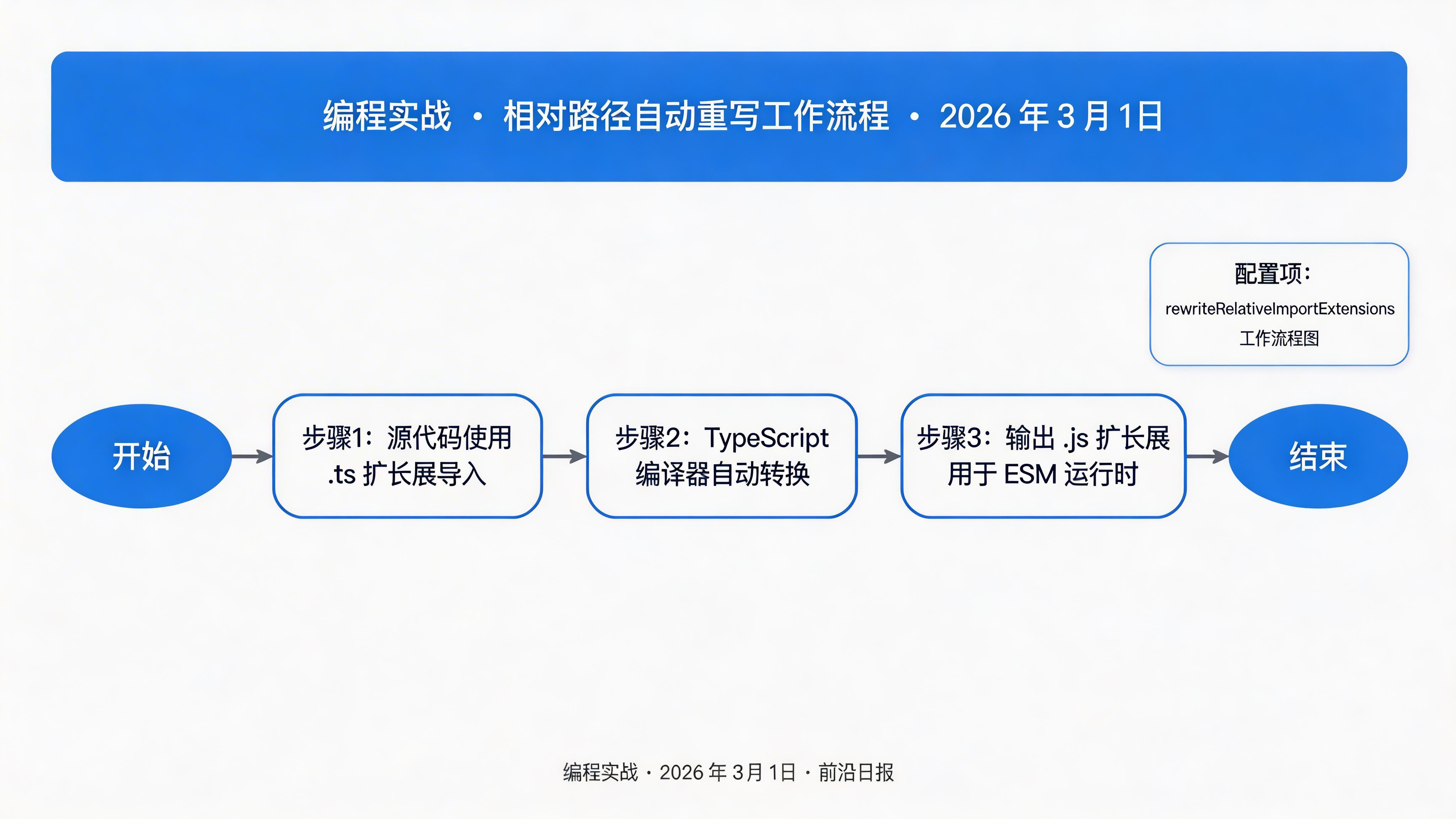
问题场景:在 ESM 项目中,Node.js 要求导入路径使用 .js 扩展名,但 TypeScript 源码使用 .ts。过去你需要手动维护两套扩展名,或在构建时编写复杂脚本。
TypeScript 5.7 引入 rewriteRelativeImportExtensions 配置项,自动将相对导入路径从 .ts 重写为 .js。
配置方法
// tsconfig.json
{
  "compilerOptions": {
    "module": "NodeNext",
    "moduleResolution": "NodeNext",
    "rewriteRelativeImportExtensions": true
  }
}
效果对比
// 源代码 (src/utils/helper.ts)
import { config } from "./config.ts";
import { types } from "../types/index.ts";

export function helper() {
  return config;
}
// 编译输出 (dist/utils/helper.js)
import { config } from "./config.js";
import { types } from "../types/index.js";
export function helper() {
return config;
}./ 和 ../),绝对路径和包导入不受影响。
注意事项
- 模块模式要求:必须设置
module: "NodeNext"或"nodenext" - 运行时兼容性:目标运行时需支持导入属性或自动扩展名解析
- 工具链支持:Vite、esbuild 完全支持;tsup 仍在适配中(可使用临时解决方案)
// tsup.config.ts - 临时解决方案
export default {
  entry: ['src/index.ts'],
  format: ['esm', 'cjs'],
  dts: true,
  outExtension: ({ format }) => ({
    js: format === 'esm' ? '.mjs' : '.cjs',
  }),
};
TypeScript 5.7 改进了 const 变量和 as const 断言的类型推断行为,使字面量类型推导更加精确和一致。
基础推断改进
// TypeScript 5.7 之前
const str = 'abc';
type T = typeof str; // string ❌

// TypeScript 5.7
const str = 'abc';
type T = typeof str; // 'abc' ✅ 字面量类型
as const 断言增强
const obj = { prop: 123 };
type T1 = typeof obj; // { prop: number }

const constObj = { prop: 123 } as const;
type T2 = typeof constObj; // { readonly prop: 123 }
as const 产生两个效果:
- 使非原始类型变为只读(对象属性、数组元素)
- 推断为字面量类型(
123而非number)
实战场景:配置对象
const CONFIG = {
  api: {
    baseUrl: 'https://api.example.com',
    timeout: 5000,
    retries: 3
  }
} as const;

// CONFIG.api.baseUrl 的类型是 "https://api.example.com"
// 所有属性都是 readonly,类型都是字面量
实战场景:联合类型推导
const STATUS = {
  PENDING: 'pending',
  SUCCESS: 'success',
  ERROR: 'error'
} as const;

type Status = typeof STATUS[keyof typeof STATUS];
// "pending" | "success" | "error" ✅Array<unknown>),as const 可能不匹配,因为推断结果是只读元组类型。
type Wrap<T extends Array<unknown>> = Promise<T>;

const arr = ['a', 'b'] as const;
// @ts-expect-error: 类型 'readonly ["a", "b"]' 不满足约束 'unknown[]'
type Result = Wrap<typeof arr>;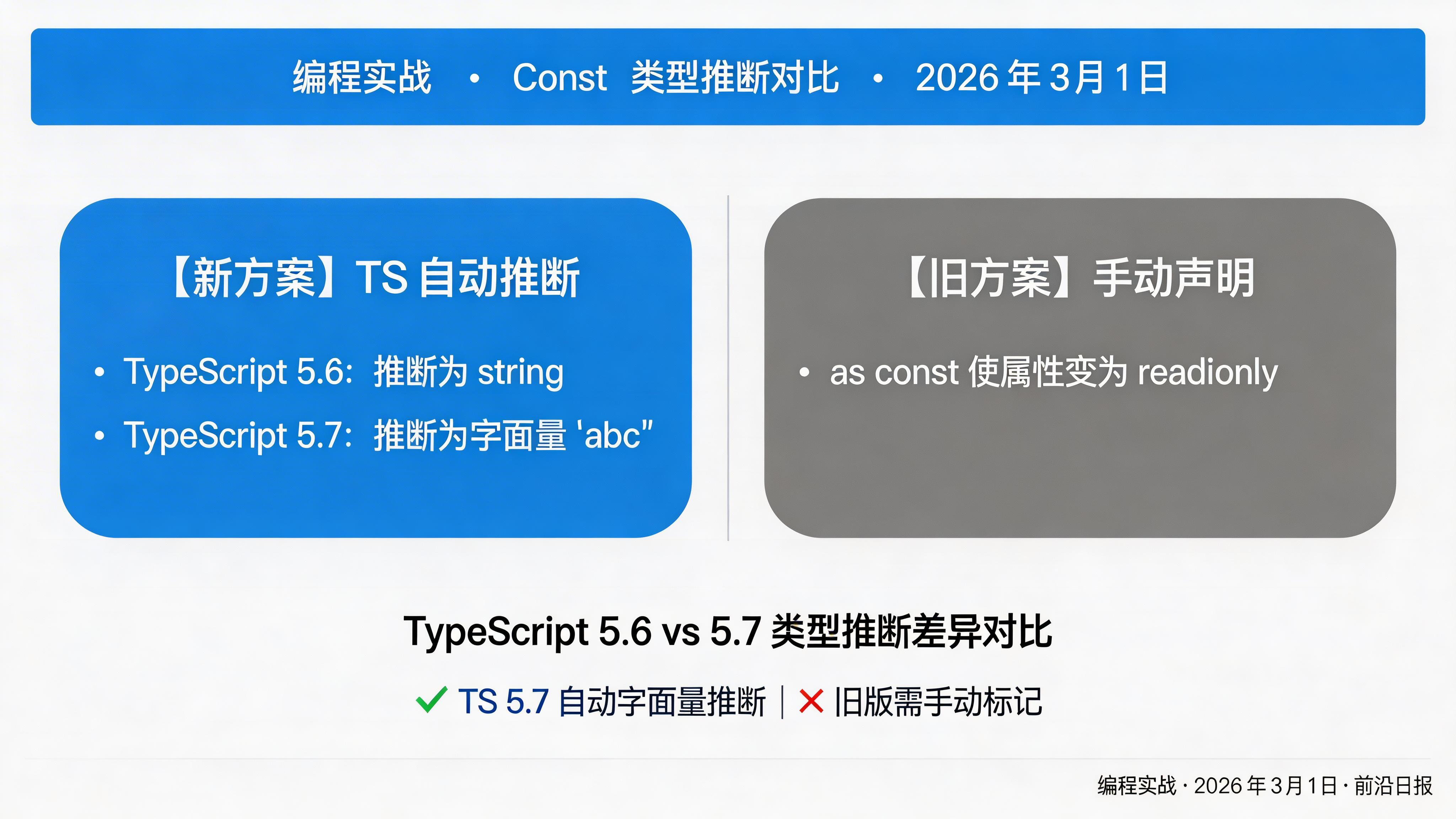
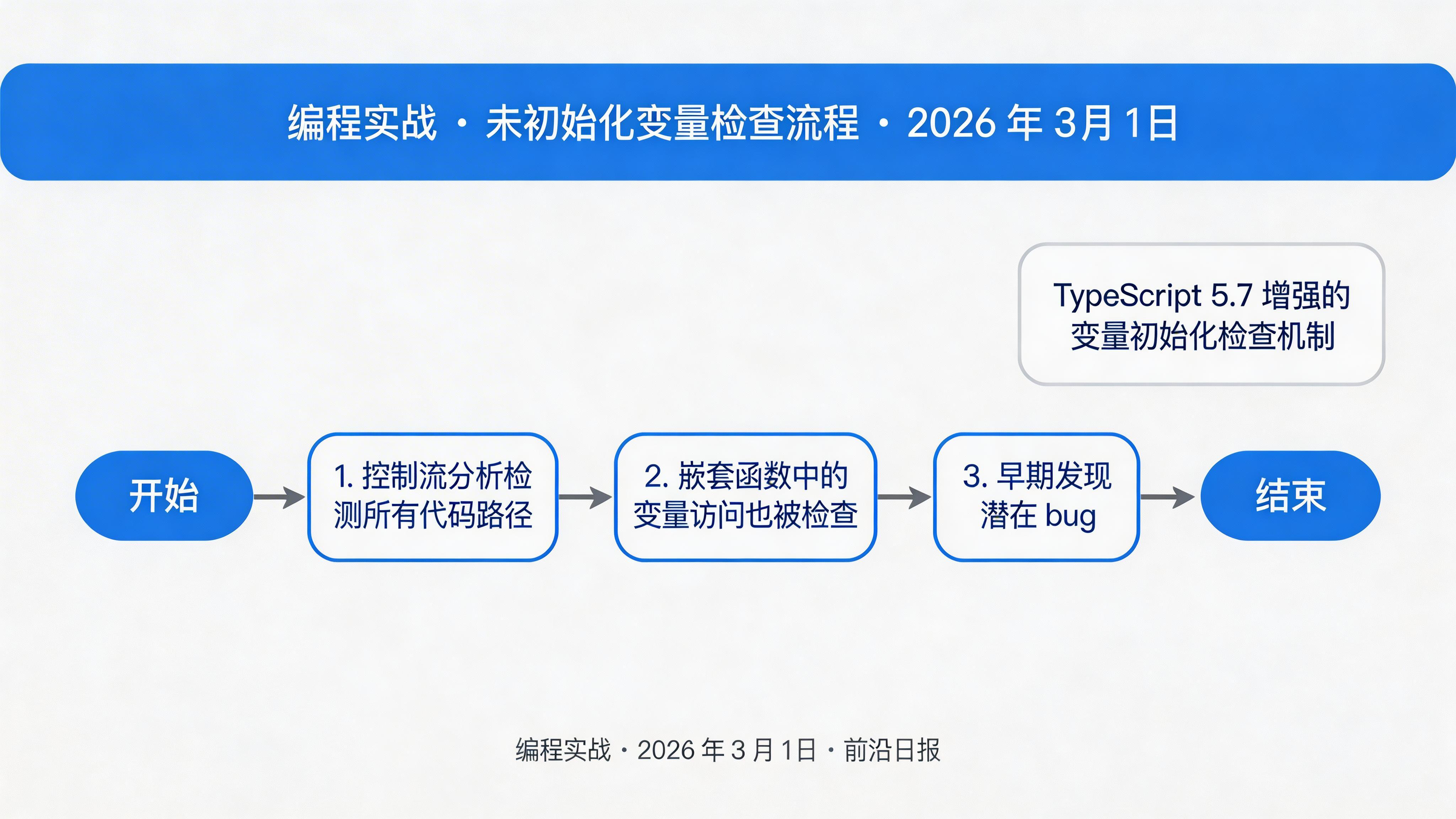
TypeScript 5.7 增强了变量初始化检查,现在可以检测到在嵌套函数中访问未初始化变量的情况,帮助早期发现潜在 bug。
5.6 及之前:逃逸检查
// TypeScript 5.6 - 无错误(但实际有 bug)
function foo() {
  let result: number;

  if (someCondition()) {
    result = doSomeWork();
  } else {
    let temporaryWork = doSomeWork();
    temporaryWork *= 2;
    // 忘记赋值给 result ❌
  }

  printResult();

  function printResult() {
    console.log(result); // 没有错误 ❌
  }
}
5.7:严格检查
// TypeScript 5.7
function foo() {
  let result: number;

  if (someCondition()) {
    result = doSomeWork();
  } else {
    let temporaryWork = doSomeWork();
    temporaryWork *= 2;
  }

  printResult();

  function printResult() {
    console.log(result);
    // Error: Variable 'result' is used before being assigned. ✅
  }
}
正确写法
function foo(condition: boolean) {
  let value: string;

  if (condition) {
    value = 'initialized';
  } else {
    value = 'default';
  }

  console.log(value); // OK ✅
}
实战场景:订单处理
function processOrder(order: Order) {
  let total: number;
  let tax: number;

  if (order.items.length > 0) {
    total = calculateTotal(order.items);
    tax = calculateTax(total, order.region);
  }
  // 忘记处理空订单情况 ❌

  return { total, tax };
  // Error: 'total' and 'tax' are used before being assigned ✅
}
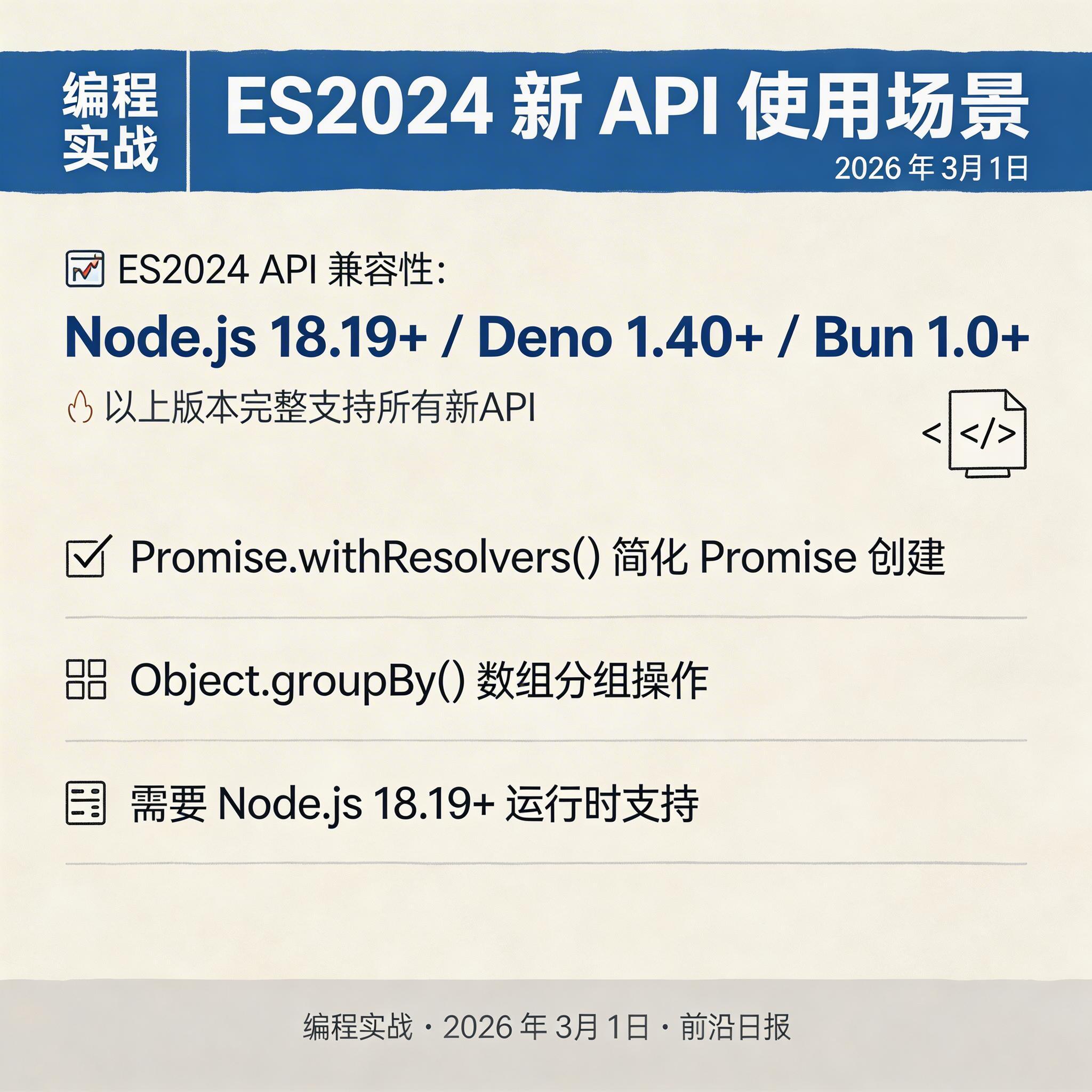
TypeScript 5.7 通过 --target es2024 和 --lib es2024 提供对 ECMAScript 2024 新特性的完整类型支持。
Promise.withResolvers()
简化 Promise 创建,无需手动维护 resolve/reject 回调:
// ES2024 原生 API
const { promise, resolve, reject } = Promise.withResolvers<string>();

// 等价于传统写法:
let resolve!: (value: string) => void;
let reject!: (reason: unknown) => void;
const promise = new Promise<string>((res, rej) => {
  resolve = res;
  reject = rej;
});
实战场景:等待事件
function waitForEvent(eventTarget: EventTarget, eventName: string) {
  const { promise, resolve } = Promise.withResolvers<Event>();
  eventTarget.addEventListener(eventName, resolve, { once: true });
  return promise;
}

// 使用
const clickEvent = await waitForEvent(button, 'click');
Object.groupBy() 和 Map.groupBy()
数组分组操作的原生支持:
const items = [
  { type: 'fruit', name: 'apple' },
  { type: 'fruit', name: 'banana' },
  { type: 'vegetable', name: 'carrot' }
];

const grouped = Object.groupBy(items, item => item.type);
/*
{
  fruit: [
    { type: 'fruit', name: 'apple' },
    { type: 'fruit', name: 'banana' }
  ],
  vegetable: [{ type: 'vegetable', name: 'carrot' }]
}
*/
配置方法
{
  "compilerOptions": {
    "target": "ES2024",
    "lib": ["ES2024"]
  }
}
TypedArray 泛型化
TypeScript 5.7 使 TypedArray 支持泛型参数,允许指定底层 ArrayBufferLike 类型:
// 新的泛型语法
interface Uint8Array<TArrayBuffer extends ArrayBufferLike = ArrayBufferLike>

// 使用示例
function processBuffer(buffer: Uint8Array<ArrayBuffer>): void {
  // ...
}

// SharedArrayBuffer 支持
const shared: Int32Array<SharedArrayBuffer> = new Int32Array(
  new SharedArrayBuffer(12)
);Buffer 类型的代码。修复方案:更新 @types/node 到兼容版本。
JSON 导入验证
使用 --module nodenext 导入 JSON 文件时,需要 with { type: "json" } 导入属性:
// ❌ 错误
import myConfig from './myConfig.json';
// Error: Importing a JSON file into an ECMAScript module
// requires a 'type: "json"' import attribute

// ✅ 正确
import myConfig from './myConfig.json' with { type: 'json' };

// ✅ 也正确
import * as myConfig from './myConfig.json' with { type: 'json' };
使用场景
import config from './config.json' with { type: 'json' };

// 访问 JSON 内容
const port = config.port;
const { host, timeout } = config;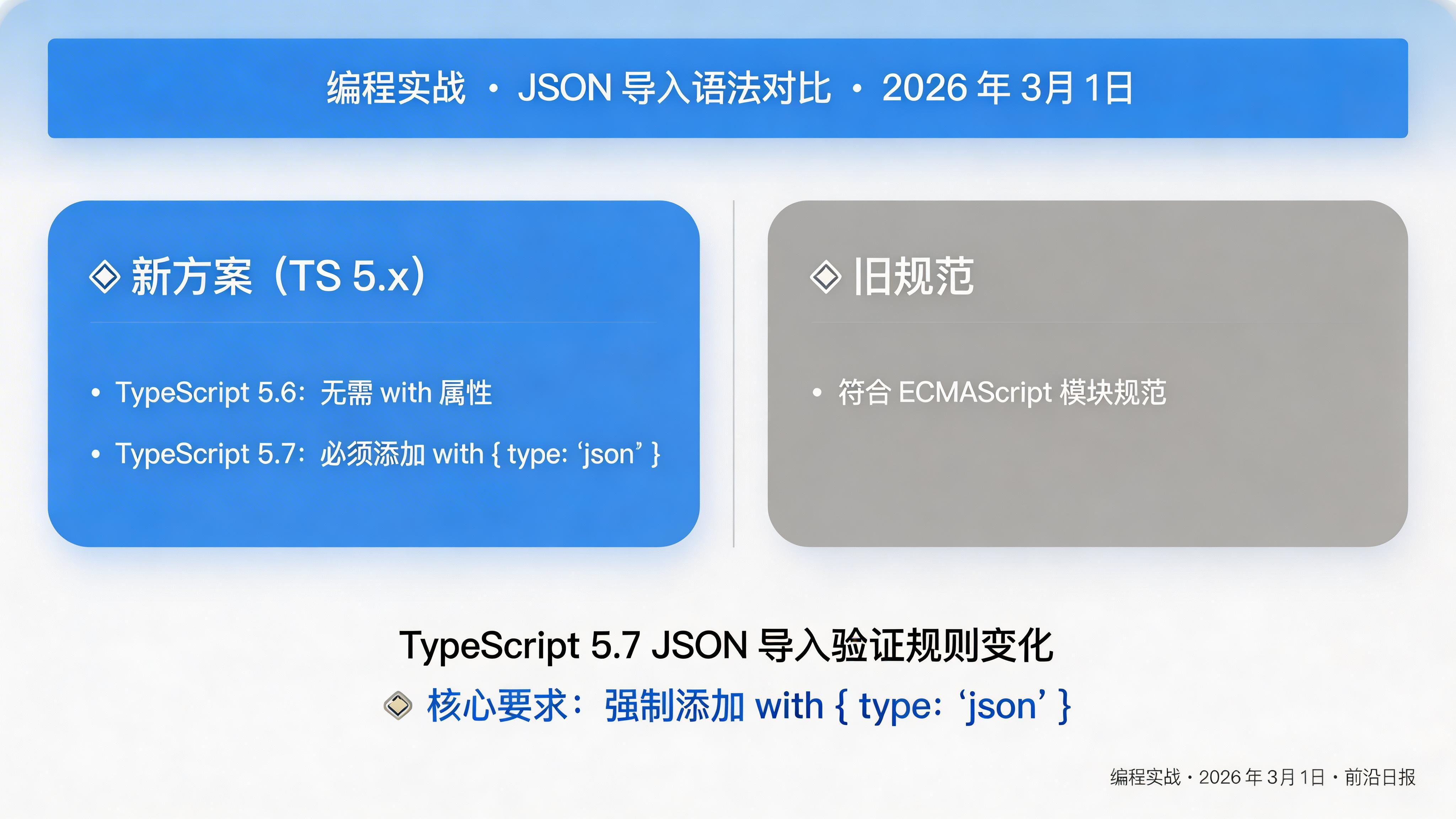
性能提升数据
根据官方基准测试和企业报告,TypeScript 5.7 带来显著的性能改进:
| 指标 | 提升幅度 | 来源 |
|---|---|---|
| 编译时间 | 最高 15% | Microsoft 官方 |
| tsc --version 启动 | 约 2.5 倍 | Microsoft 官方 |
| 内存消耗 | 减少 ~7% | UnravelJS |
| 大型项目类型检查 | 25% 更快 | Miraigaku |
node --experimental-compile-cache 启用 V8 缓存,可进一步提升启动速度。
常见问题 FAQ
主要 Breaking Changes 包括:① TypedArray 泛型化可能影响 Buffer 类型使用;② JSON 导入需要 with { type: "json" } 属性;③ 更严格的 never 类型检查;④ 类中非字面量方法名生成索引签名。根据 Google 反馈,影响面小于 0.01%。
推荐步骤:① 运行 npm install -D typescript@5.7 升级;② 执行 tsc --noEmit 检查类型错误;③ 更新 @types/node 到最新版本;④ 修复报告的未初始化变量问题;⑤ 为 JSON 导入添加 with 属性。大型项目建议先在 CI/CD 中验证。
Vite、esbuild、Rollup、Webpack 完全支持;tsup 仍在适配中(可使用临时解决方案);ts-node、Deno 可直接使用。注意需要设置 module: "NodeNext" 才能生效。
立即升级:新项目、需要 ES2024 特性、需要更好的 ESM 支持。谨慎升级:使用 SvelteKit 等框架(等待官方支持)、依赖 Decorators 的项目(NestJS 等需验证)、大型单体项目(先做全面测试)。
总结与行动指南
TypeScript 5.7 是一个稳健的增量更新,主要贡献在于:
- 路径重写:自动转换相对导入扩展名,ESM 开发体验大幅提升
- Const 推断:更精确的字面量类型,配置对象和联合类型推导更优雅
- 变量检查:捕获嵌套函数中的未初始化变量,早期发现 bug
- ES2024 支持:Promise.withResolvers()、Object.groupBy() 等原生 API
- 性能优化:编译速度提升 10-15%,启动速度提升 2.5 倍
立即行动:
- 运行
npm install -D typescript@5.7 - 在
tsconfig.json中启用"rewriteRelativeImportExtensions": true - 执行
tsc --noEmit检查并修复问题 - 更新
@types/node和相关工具链