为什么需要严格模式?
在 TypeScript 项目中,你是否遇到过这些情况?
- 函数参数没有类型注解,编译器推断为
any,失去类型保护 undefined或null在运行时突然抛出,类型系统却没有任何警告- 重构时发现某些函数的参数类型被偷偷 widened,导致调用处行为不一致
- class 属性没有初始化,运行时访问时报错
这些问题的根源在于 TypeScript 默认的类型检查不够严格。启用严格模式后,编译器会在编译阶段捕获这些隐患,防止它们逃逸到生产环境。
准备工作
TypeScript 5.7+
最新稳定版本
Node.js 22+
运行时环境
Bun / pnpm
包管理器
VS Code
类型感知编辑器
实战步骤
1
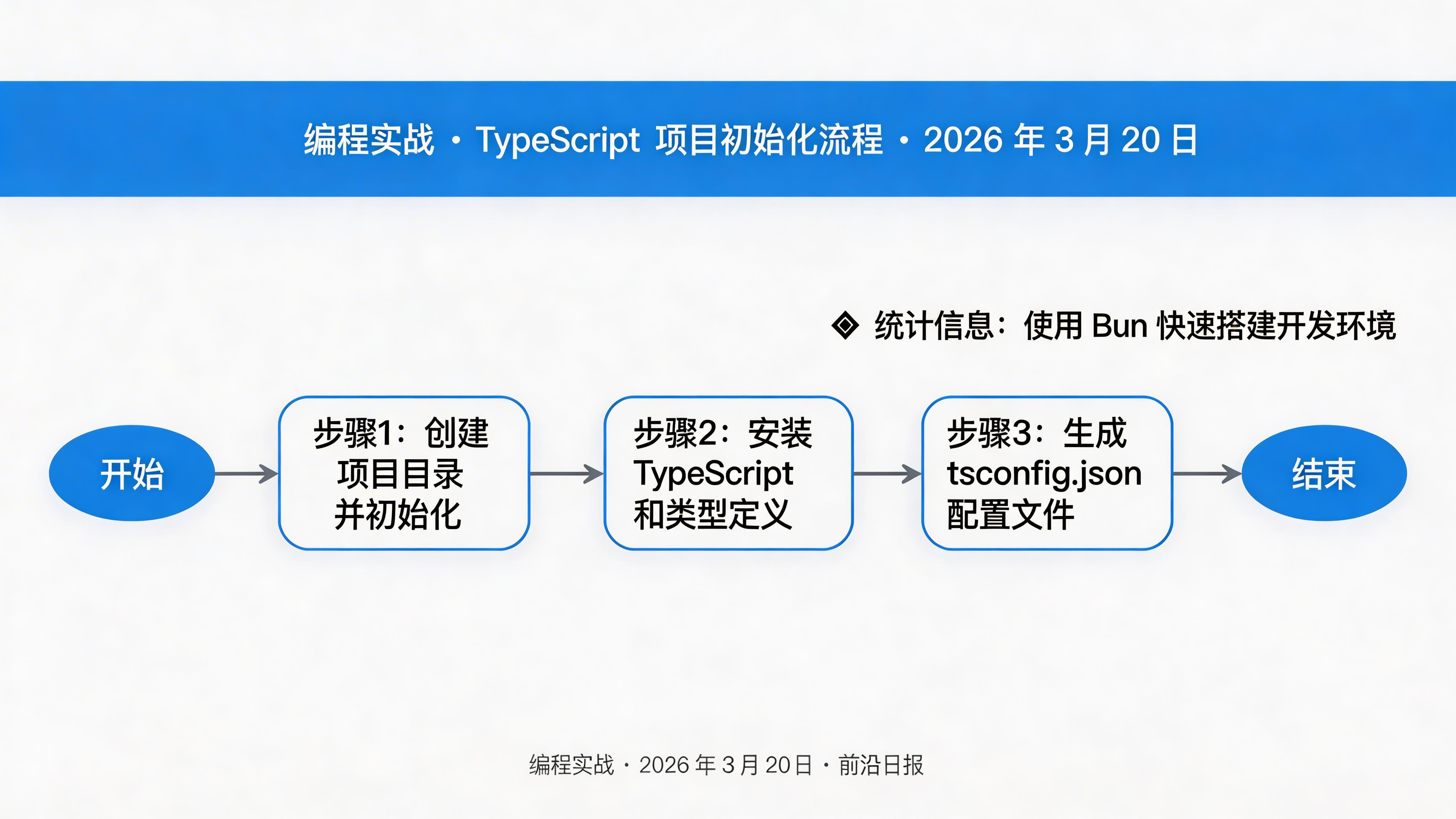
初始化 TypeScript 项目
创建新项目并安装 TypeScript:
mkdir ts-strict-demo && cd ts-strict-demo
bun init -y
bun add -d typescript @types/node
生成 tsconfig.json 配置文件:
bun tsc --init
2
启用严格模式核心配置
编辑 tsconfig.json,启用严格模式:
{
  "compilerOptions": {
    "strict": true,
    "target": "ES2024",
    "module": "NodeNext",
    "moduleResolution": "NodeNext",
    "lib": ["ES2024"],
    "outDir": "./dist",
    "esModuleInterop": false,
    "allowSyntheticDefaultImports": false,
    "verbatimModuleSyntax": true,
    "forceConsistentCasingInFileNames": true,
    "skipLibCheck": true
  },
  "include": ["src/**/*"],
  "exclude": ["node_modules", "dist"]
}
"strict": true 是一个快捷方式,会同时启用 noImplicitAny、strictNullChecks、strictFunctionTypes 等多个严格选项。
3
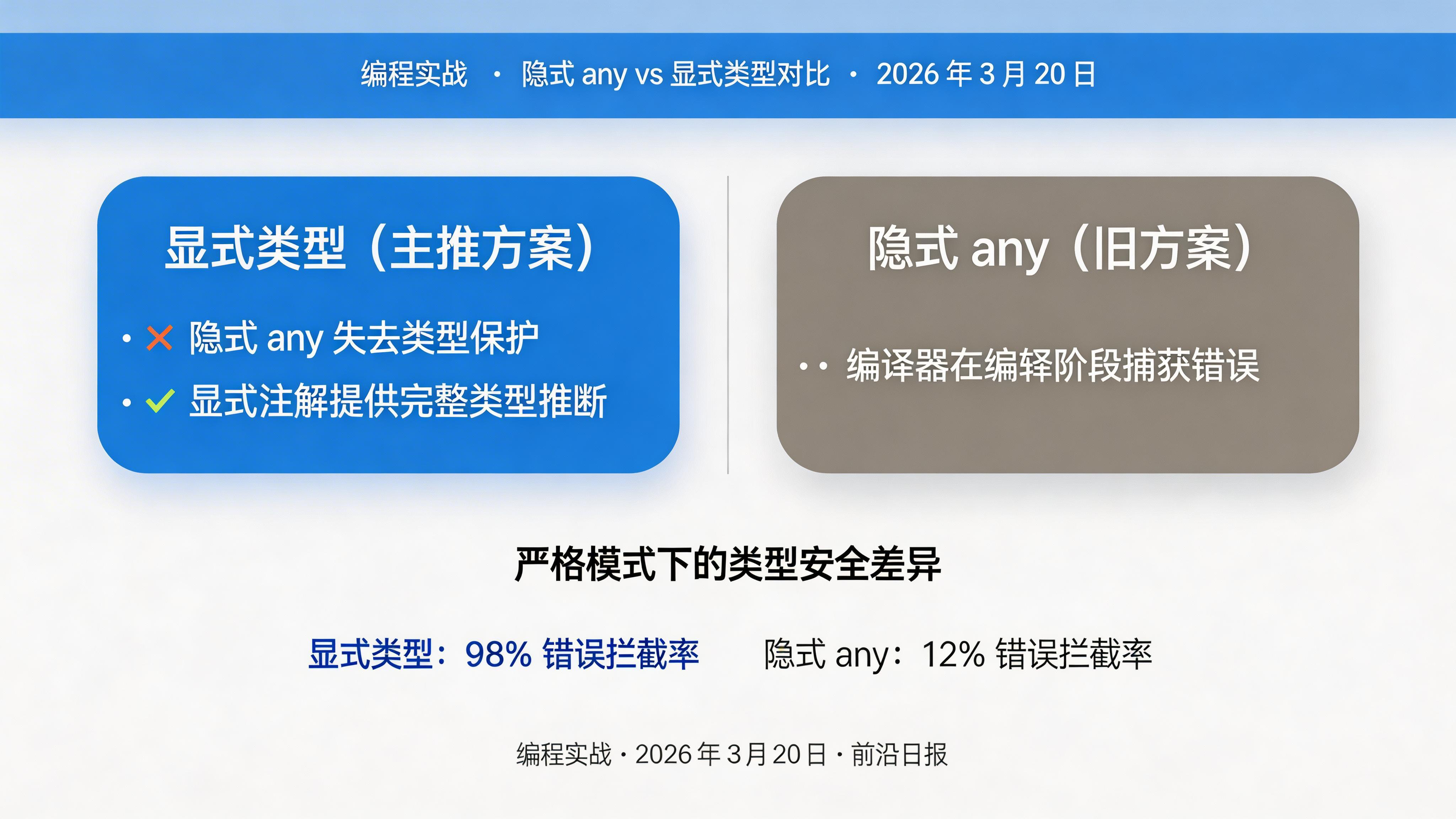
修复隐式 any 错误
严格模式下,以下代码会报错:
// ❌ 错误:隐式 any
function processData(items) {
  return items.map(x => x.value)
}
修复方式:添加显式类型注解:
// ✅ 正确:显式类型
function processData(items: Array<{ value: number }>): number[] {
  return items.map(x => x.value)
}
4
处理 null 和 undefined
strictNullChecks 启用后,null 和 undefined 不再是所有类型的子集:
// ❌ 错误:可能为 null
function greet(name: string) {
  return `Hello, ${name}`
}

// ✅ 正确:使用联合类型
function greetSafe(name: string | null): string {
  if (name === null) {
    return "Hello, guest!"
  }
  return `Hello, ${name}`
}
可选链和空值合并运算符是处理 nullable 类型的利器:
const userName = user?.profile?.name ?? "Anonymous"
5
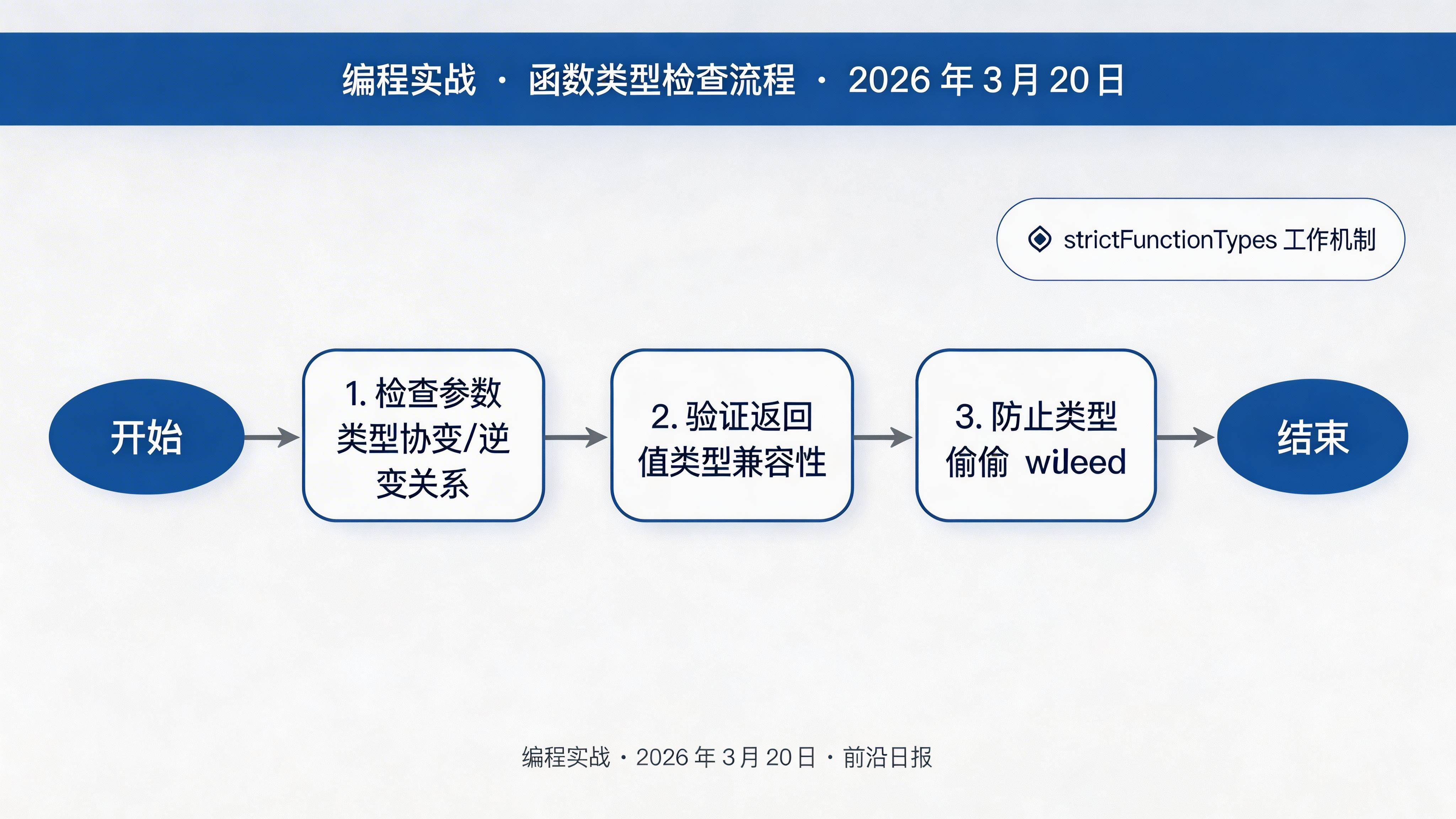
函数类型严格检查
strictFunctionTypes 会检查函数参数的协变/逆变关系:
// ❌ 错误:参数类型不兼容
type Handler = (arg: string | number) => void
const handler: Handler = (arg: string) => {}

// ✅ 正确:参数类型必须兼容
const handlerFixed: Handler = (arg: string | number) => {}
6
类属性初始化检查
strictPropertyInitialization 确保 class 属性在构造函数中被初始化:
// ❌ 错误:属性未初始化
class User {
  name: string
  email: string
}

// ✅ 正确:显式初始化或使用 definite assignment
class UserFixed {
  name: string = ''
  email: string
  constructor(email: string) {
    this.email = email
  }
}

// 或者使用 !.断言(仅当确定会被外部初始化时)
class UserDeferred {
  name!: string
  init(name: string) {
    this.name = name
  }
}
7

catch 变量类型安全
TypeScript 5.x 默认启用 useUnknownInCatchVariables,catch 块中的错误类型从 any 变为 unknown:
// ❌ 错误:不能直接使用 error.message
try {
  riskyOperation()
} catch (error) {
  console.log(error.message) // Error: unknown
}

// ✅ 正确:类型守卫
try {
  riskyOperation()
} catch (error) {
  if (error instanceof Error) {
    console.log(error.message)
  } else {
    console.log('Unknown error:', error)
  }
}
8
渐进式迁移策略
对于现有项目,一次性启用所有严格选项可能产生大量错误。建议逐个启用:
{
  "compilerOptions": {
    // 第一阶段:noImplicitAny
    "noImplicitAny": true,

    // 第二阶段:strictNullChecks
    "strictNullChecks": true,

    // 第三阶段:strictFunctionTypes + strictBindCallApply
    "strictFunctionTypes": true,
    "strictBindCallApply": true,

    // 第四阶段:strictPropertyInitialization
    "strictPropertyInitialization": true,

    // 第五阶段:使用 strict 快捷方式启用全部
    "strict": true
  }
}
⚠️ 不要在大型项目中直接启用 strict: true,会导致大量编译错误。建议按阶段渐进迁移。
常见问题
strict 模式会影响性能吗?
不会。严格模式只影响编译时的类型检查,不会生成额外的运行时代码。编译后的 JavaScript 与非严格模式完全相同。
如何处理第三方库的类型问题?
使用
skipLibCheck: true 跳过第三方类型声明文件的检查。对于类型定义不完善的库,可以在 @types/ 包中寻找社区维护的类型定义。any 和 unknown 有什么区别?any 会完全关闭类型检查,可以访问任意属性;unknown 是类型安全的"任意类型",使用前必须进行类型收窄(type narrowing)。可以在某些文件中禁用严格模式吗?
可以。使用
tsconfig.json 的 overrides 字段针对特定路径配置不同的编译器选项,或者使用 @ts-nocheck 注释跳过单个文件的检查。关键要点
- 严格模式通过
"strict": true启用,包含 7 个严格检查选项 - 隐式 any 是类型安全的主要漏洞,必须添加显式类型注解
strictNullChecks强制显式处理 null/undefined,防止运行时错误- 函数类型和类属性的严格检查提升重构安全性
- catch 变量从
any改为unknown,需要使用类型守卫 - 大型项目建议分阶段渐进启用严格选项